


Sometimes you’re out on site with a dead laptop and you’ve forgotten your laptop charger, or you’ve forgotten that the E1000 HMI’s use a CAB30 cable and not the good old CAB5, OR you simply don’t want to fire up your laptop for a 2 minute job! Whatever the case, we’ve got you covered because the E1000’s offer you the facility to upload/download projects via a USB stick! Here’s how…
Now, obviously, at some point or the other it will be necessary to actually save the project to the USB stick, so it sounds like this would be a good place to start this post:
Step 1 – From the ‘Transfer’ Menu, select ‘Export project transfer file’
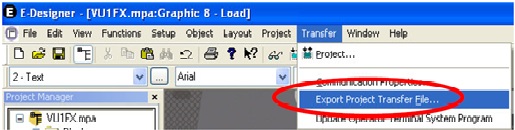
Find the path of your removable device and hit save! Be sure to save it in the route directory.
Step 2 – Insert the USB stick into the USB port of the HMI, you should then see the following message
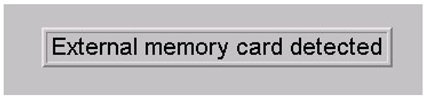
The terminal will then show that a file structure is not available, it will then request that one be created:
Press OK and the project will be downloaded automatically into the terminal and run through the boot-up with the new project.
Congratulations, you have now successfully loaded a project into the terminal!
Is there a way i can copy the program from HMI itself to a USB?